Notice:
- This theme is only for Samsung Galaxy Y GT-S5360/B/L variant only.
- This theme is only for stock ROM.
- You must be deodexed first.
- (Optional) You need to disable signature verification in services.jar first!
- Try this at your own risk.
Features:
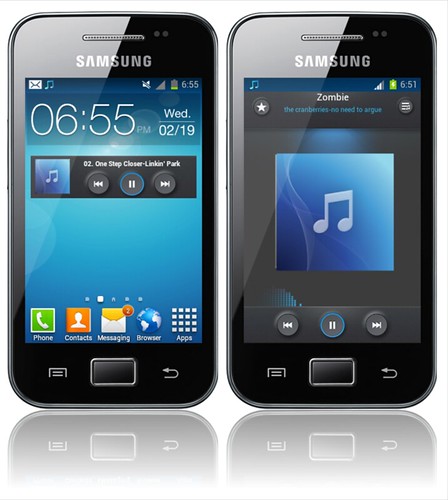
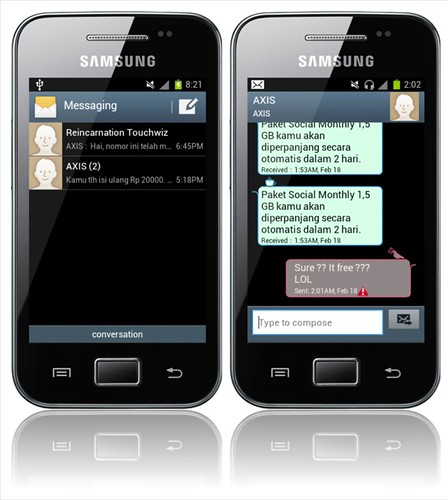
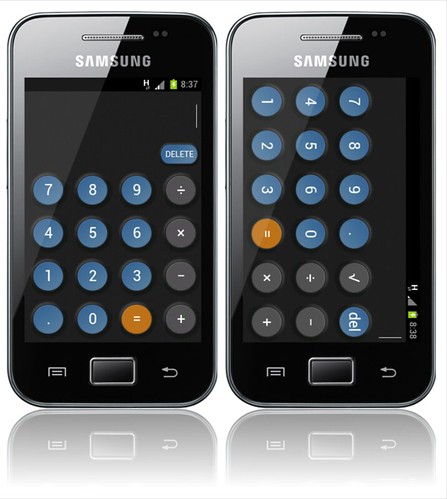
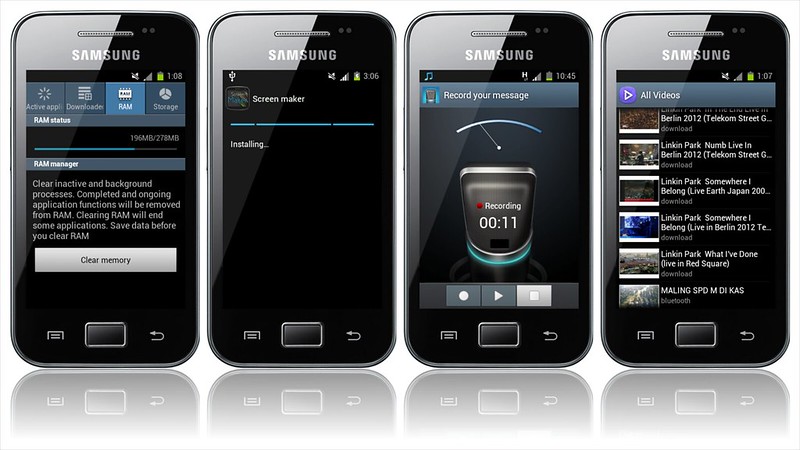
- 75% transparent framework
- ICS-themed axt9IME (Samsung keyboard)
- Transparent Touchwiz dock with title 5 (4x4) icon
- 2 floating SystemUI layout
- Transparent apps:
- Play Store
- Galery3D.apk
- Music.apk
- MyFiles.apk
- Memo.apk
- Settings.apk
- Contact.apk
- PackageInstaler.apk
- DialerTabActivity.apk
How to install?
- Boot into CWM recovery.
- Mount /system, /data, /cache.
- Flash the downloaded file below.
- (Optional) Wipe cache and dalvik cache.
- Reboot.
Notice:
- This kernel is only for CyanogenMod 7.2 build by bieltv.3 and ROMs based on it.
- This kernel is only for Samsung Galaxy Y GT-S5360/B/L.
- Try this at your own risk.
Features:
- Dualboot
- DroidWall (iptables) support
- CM7 and CM9 support
- Frequencies (MHz):
- 156,312,624,780,832,936,1040
- Dualboot support
- Governors:
- Lazy, ondemand, interactive, interactivex, perfomance, smartassv2, powersave, userspace, conservative, SmartassH3, intellidemand2, intellidemand, darkside, AssWax, agresive, powercats,
- I/O scheduler:
- cfq, deadline, noop, vr, zen
Bugs:
- Some governor didn't function properly.
How to install?
1. Boot into CWM.
2. Mount everything.
3. Flash this kernel.
4. Reboot.
Notice:
- This guide should work with almost all Android devices.
- Prepare your brain before doing this xD
- Try this at your own risk.
How?
- Install TDT Tweaks:
1. Download the tweak here.
2. Delete everything in /system/etc/init.d (you can use AROMA File Manager too)
3. Flash the downloaded tweak above via CWM and reboot.
4. Open Terminal Emulator, then type:
su
TDT
5. This menu will appear:
6. Select number 2 and 4.
- Edit build.prop:
1. Open /system/build.prop via any root-enabled file manager.
2. Add this line (edit if there is existing one).
HOME_APP_ADJ=-18
3. Save and reboot.
- Manage autorun with SD Maid:
1. Download and install lastest SD Maid and its Pro key (google for it :D)
2. Open the app.
3. Pull the sidebar and choose AppControl.
4. Choose the desired application to run (vice versa) at boot.
5. Exit and reboot
- Manage RAM usage with RAM Manager Pro.
1. Download and install RAM Manager Pro (google for it)
2. Set RAM option to balanced.
3. Enable "Set on boot"
4. Open swap, then put in "(your external SD card mount point)"
5. Choose the value that you want.
6. Reboot.
- Manage app at RAM cache:
1. Open Settings>Applications>Running services
2. Open each app that you want to end (eg. BBM) then tap "End process"
3. Menu>Show cached process
4. Make sure that there is BBM process.
5. Repeat for another application. (Not the system app)
Credits:
- cleverior.ipul@xda who allowed to write this.
- Team TDT (script/tweaks)
- phantomhell@xda (me)
- om fdo, om lourey, om hero and others.
- All masters and members of ◄ ۞ஜ Galaxy Pocket FB Community ஜ ۞►
Notice:
- This ROM is only for Samsung Galaxy Y GT-S5360/B/L variant only.
- Try this at your own risk.
Features:
- A HOLO LIGHT themed rom.
- Holo launcher as default.
- Vivo Bootanimation
- New Ringtones,alarms,etc
- Vivo Hub {beta} - Init.d tweaks choosen from Vulpix.
- More....
How to install?
- ROM:
1. (HIGHLY RECOMMENDED) Be on a stock ROM, installation will be cleaner.
2. Download THIS EXT4 tool, the kernel and this ROM on your device.
3. Flash on Samsung recovery (or your recovery if you are not on stock), this temp. CWM (by bieltv.3)
4. When you are on the Temp. CWM, flash the EXT4 Formatter tool, so whole system will be converted to EXT4. (stock filesystem is in RFS)
5. After the installation, flash the kernel attached below
6. When the kernel is installed, go to the CWM, to advanced --> reboot recovery (this will reboot the device, and turn it on on the new CWM of kernel)
7. Wipe data, cache and dalvik cache.
8. (IMPORTANT) Go to mounts and storage, and make sure system is mounted (will show unmounted) mount it 2 times!
9. Go to install zip from SD Card, choose zip from SD card and install this ROM. (MAKE SURE installation last more than 5 seconds, if is less than 5 seconds, your system is unmounted! repeat step 8).
10. Mount the System again and install GApps (Optional).
11. After installation, go back and reboot system, if you made it good, ROM boots, so no problem on it.
- Updates (v2.2, v2.5):
1. Boot to CWM recovery.
2. Choose install zip from sdcard, then select choose zip from sdcard.
3. Select the update that you have downloaded from below.
4. Repeat step 2 & 3 for v2.5.
5. Reboot.
Notice:
- This mod is only for Samsung Galaxy Y GT-S5360/B/L variant only.
- You must be deodexed first.
- This mod is only for stock/stock based ROMs only.
- Try this at your own risk.
Notice:
- This ROM is only for Samsung Galaxy Y GT-S5360/B/L variant only.
- Try this at your own risk.
Features:
With Aroma Installer, this ROM give your customization:-
1. Select your Statusbar style. (Gradient/Transparent/Normal)
2. Select your GPS continent
3. Select your GPS country, you can leave this if your country isn't present.
4. Option to install Int2extV2+ unofficial script by Stryke to expand your internal storage.
Performance:-
> 2.3.8 Bluetooth versions
> Reincarnation Engine v.3
> BLN work
> Better Battery life
> Build.prop tweaks (very clean tweaks)
> Built in flash player 11
> Faster GPS lock
> Full GPU rendering
> Integrated host file for adblocker
> Media profile tweaks
> Reincardio Engine, give excellent music quality and best overall audio engine
> Removed beep volume panel
> WIfi tehering really work fine
> Pre-Installed (optional) in2extv2+ script to expand your internal storage..
Features and Interface:-
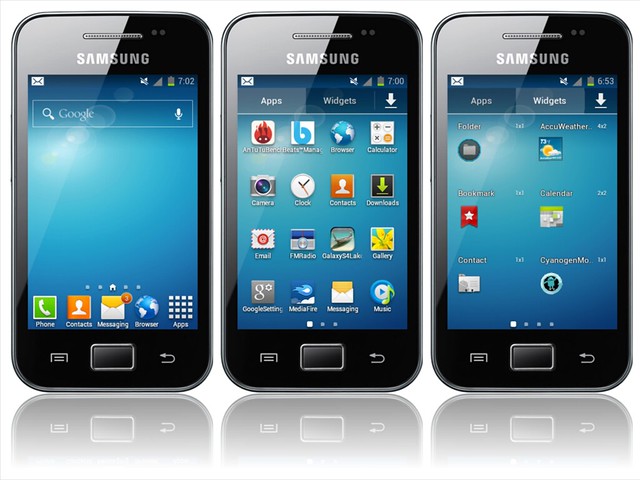
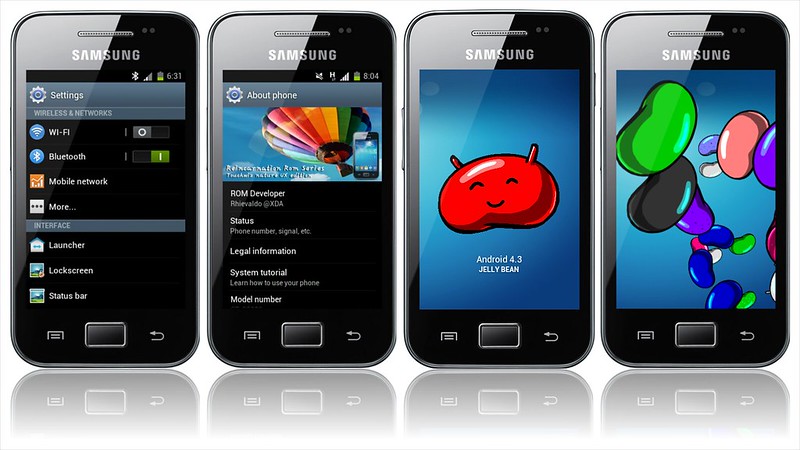
> S4 Launcher
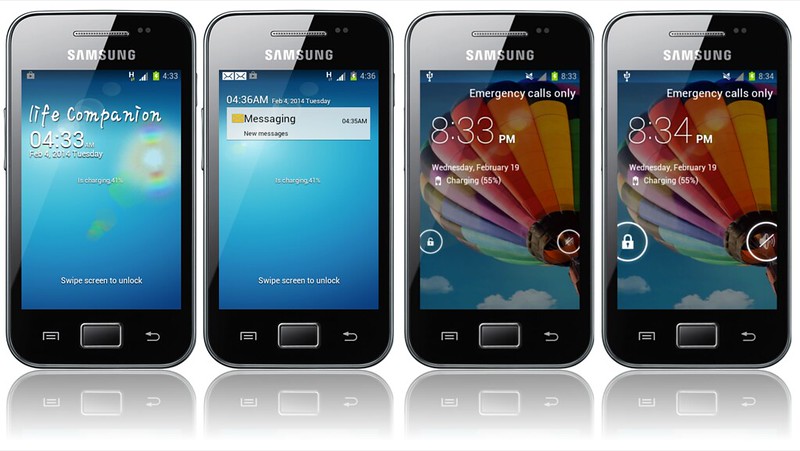
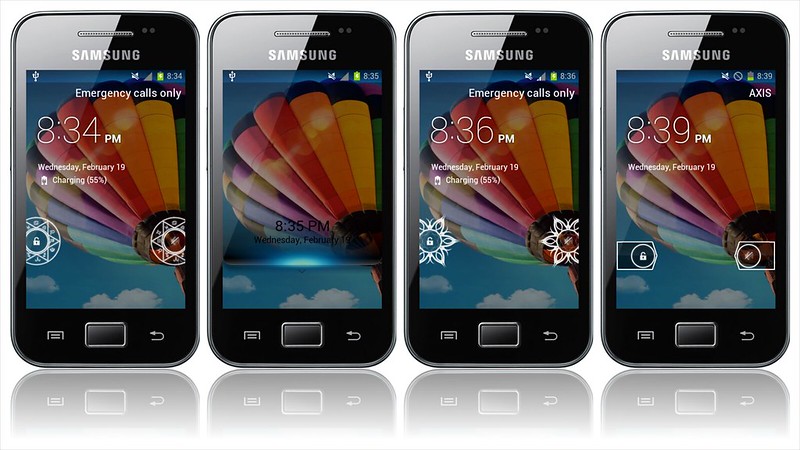
> S4 Lockscreen with real flare effect and sound effects,
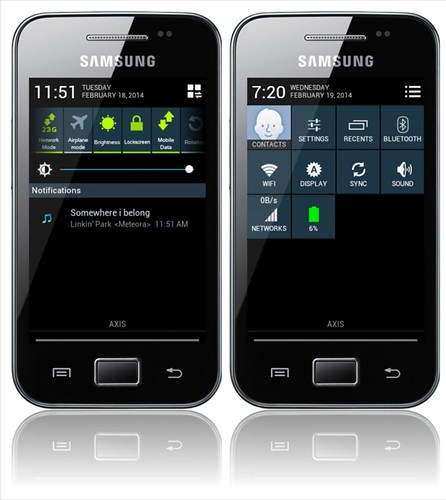
> S4 Styled Statusbar
> Stock My files
> Stock Memo, modded and renamed to S Memo
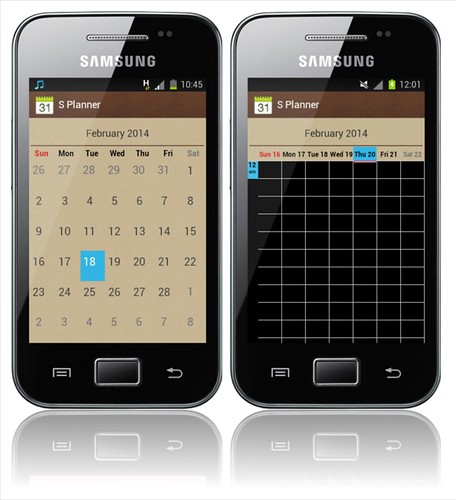
> Stock CM Calendar modded and renamed to S Planner
> Stock CM Calculator modded
> Stock Touchwiz Desk Clock
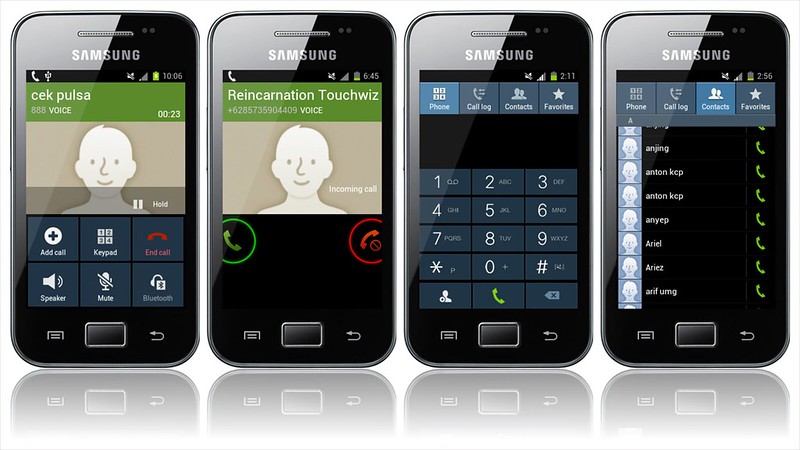
> Samsung Keypad
> S4 Music player (base is MIUI Music Player)
> Quicpic gallery
> Samsung stock task manager
> Samsung digital clock widget
> Added Proximity Lockscreen
> Videos like stock samsung video app
> Beautifull CyanogenMod Lockscreen
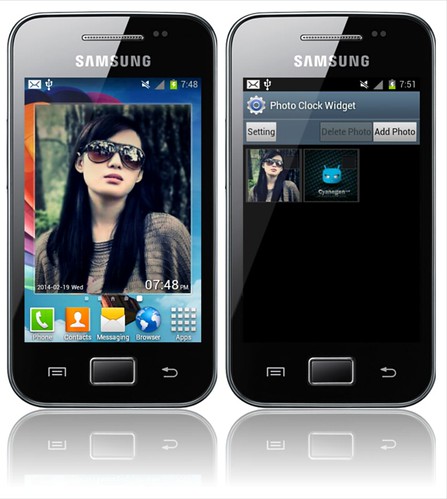
> Added Photo Clock Widget
> Modded and Included Camera Flash fix
> 2.3.8 Screenshot apps
> Android 4.x title bar
> Android 4.x notification panel
> Android 4.x window animation and transition.
> Android 4.x security lockscreen
> New Touchwiz boot animation
> 29 Beauty touchwiz Wallpaper included in Launcher
Bugs:
- Some black on blue on contact picker,,
- Dialpad layout on dialing screen need fix.
- All bugs in CM7.2 by bieltv.3.
How to install?
1. (HIGHLY RECOMMENDED) Be on a stock ROM, installation will be cleaner.
2. Download THIS EXT4 tool, the kernel and this ROM on your device.
3. Flash on Samsung recovery (or your recovery if you are not on stock), this temp. CWM (by bieltv.3)
4. When you are on the Temp. CWM, flash the EXT4 Formatter tool, so whole system will be converted to EXT4. (stock filesystem is in RFS)
5. After the installation, flash the kernel attached below
6. When the kernel is installed, go to the CWM, to advanced --> reboot recovery (this will reboot the device, and turn it on on the new CWM of kernel)
7. Wipe data, cache and dalvik cache.
8. (IMPORTANT) Go to mounts and storage, and make sure system is mounted (will show unmounted) mount it 2 times!
9. Go to install zip from SD Card, choose zip from SD card and install this ROM. (MAKE SURE installation last more than 5 seconds, if is less than 5 seconds, your system is unmounted! repeat step 8).
10. Mount the System again and install GApps (Optional).
11. After installation, go back and reboot system, if you made it good, ROM boots, so no problem on it.
Credits:
- Imbawind for part of Adrenaline Engine
- Slaid480 for Part of Fly-On Mod
- Geva28 for Beats Manager
- Probcomp for SMS Popup Notifier
- Amarullz for AROMA INSTALLER
- UOT Kitchen for ROM theming
- Shlnarang for S4 Launcher
- RedX Entertainment for Video Manager.apk
- VavanL for Guide to remove beep volume panel
- Ace-i Team, sniper killer and iamareebjamal for give me some knowledge with on off settings guide
- saldymhmd for On Off Setting Source
- Team nexus, get some knowledge with their Sources
- iamareebjamal for his guide for adding custom image to about phone and Add JB easter egg
- Spacecaker for some icon from their rom SGS III / IV JB Rom and Guide 4.2 Statusbar for GB
- Zeppelinrox for fixfc script binary
- Stryke for Unofficial Script Int2extv2+
- All developers of TouchWiz Resurrection ROM, my inspire ROM and some sources file.
Notice:
- This ROM is only for Samsung Galaxy Pocket GT-S5300/B/L variants only.
- Try this at your own risk.
Features:
- Holo Launcher;
- KK statusbar style;
- KK keyboard style;
- KK dialer and contacts Style;
- CMFile Manager modded ;
- Browser themed like Chrome;
- KK desk clock;
- KK settings style;
- KK calculator
- and more....
Bugs: - Some black on black bug How to install?
1. (HIGHLY RECOMMENDED) Be on a stock ROM, installation will be cleaner.
2. Download THIS EXT4 tool, the kernel and this ROM on your device.
3. Flash on Samsung recovery (or your recovery if you are not on stock), this temp. CWM (by bieltv.3)
4. When you are on the Temp. CWM, flash the EXT4 Formatter tool, so whole system will be converted to EXT4. (stock filesystem is in RFS)
5. After the installation, flash the kernel attached below
6. When the kernel is installed, go to the CWM, to advanced --> reboot recovery (this will reboot the device, and turn it on on the new CWM of kernel)
7. Wipe data, cache and dalvik cache.
8. (IMPORTANT) Go to mounts and storage, and make sure system is mounted (will show unmounted) mount it 2 times!
9. Go to install zip from SD Card, choose zip from SD card and install this ROM. (MAKE SURE installation last more than 5 seconds, if is less than 5 seconds, your system is unmounted! repeat step 8).
10. Mount the System again and install GApps (Optional).
11. After installation, go back and reboot system, if you made it good, ROM boots, so no problem on it. Download: ROM: https://www.mediafire.com/?2cbv4psdstqzt6t